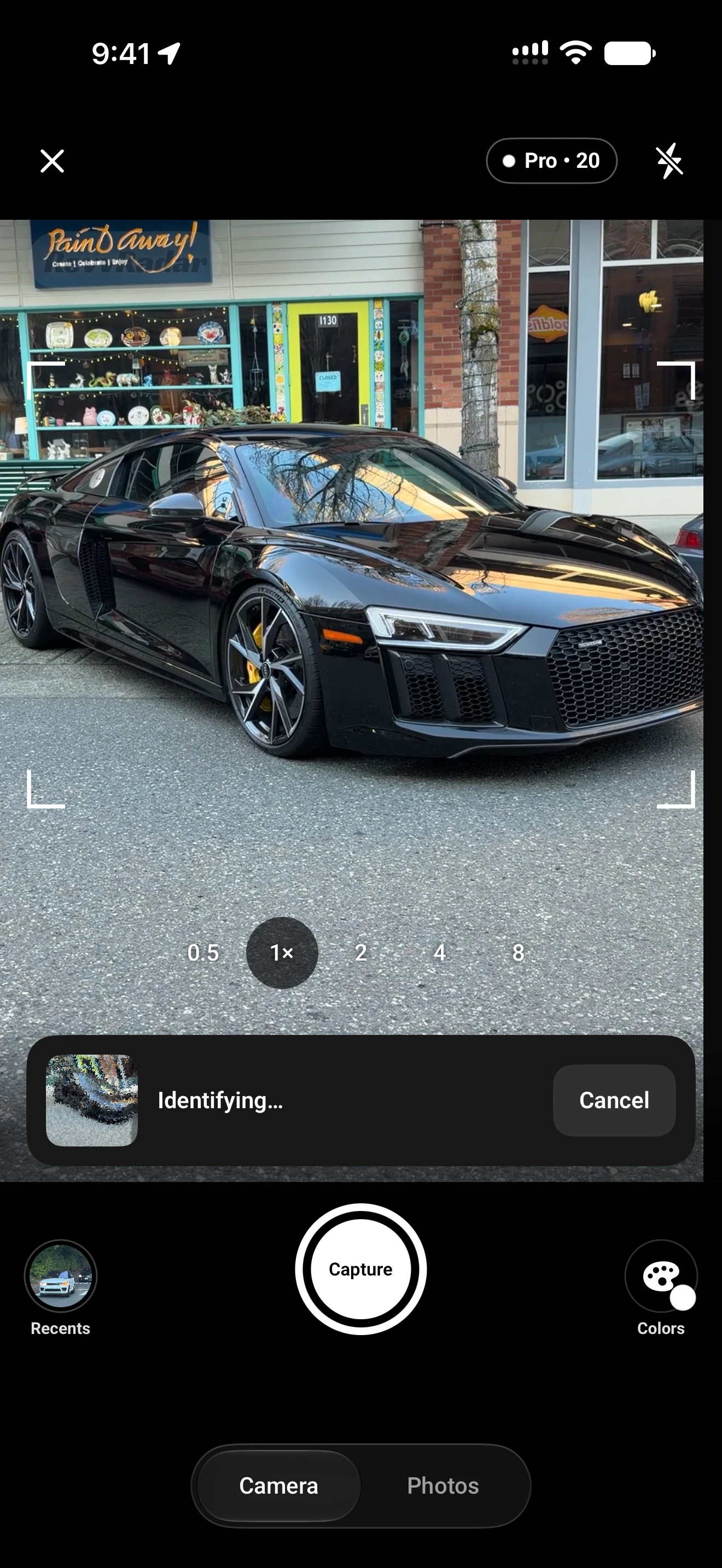
Start with the details a photo can reveal.
An unfamiliar vehicle is usually easier to identify when you focus on a few specific features instead of the whole image at once. A badge can settle the make, while the lights, grille, body shape, wheel arches, and proportions can point toward a model or generation.
Use a clear exterior view.
Choose a photo where the front, rear, or side profile is visible and not blocked by traffic, people, or heavy reflections.
Look beyond the badge.
Headlight shape, grille position, door count, roofline, and the distance between the wheels often separate similar vehicles.
Review the suggested match.
Review the suggested make, model, year range, and available specifications. All available specs are included on Free.
What a car identifier can tell you.
A car identifier app is especially useful when you have a recognizable vehicle but do not know the exact trim, generation, or year range. It can turn a quick photo into a useful starting point without asking you to search every possible model name.
It is not a substitute for a vehicle history report, a VIN lookup, or expert inspection. Image quality, lighting, vehicle angle, and modifications can affect an answer. Identifications and specifications are estimates and may be wrong. Treat the result as something to verify when the distinction matters.
When two cars look almost the same.
Manufacturers often reuse a design language across models, and an owner can change wheels, bumpers, lights, or badges. If the first answer is close but not convincing, try another angle that shows the rear badge, front fascia, dashboard, or a distinctive body line.
For a visual walkthrough that starts with the question itself, read What car is this? Use the clues you can see.