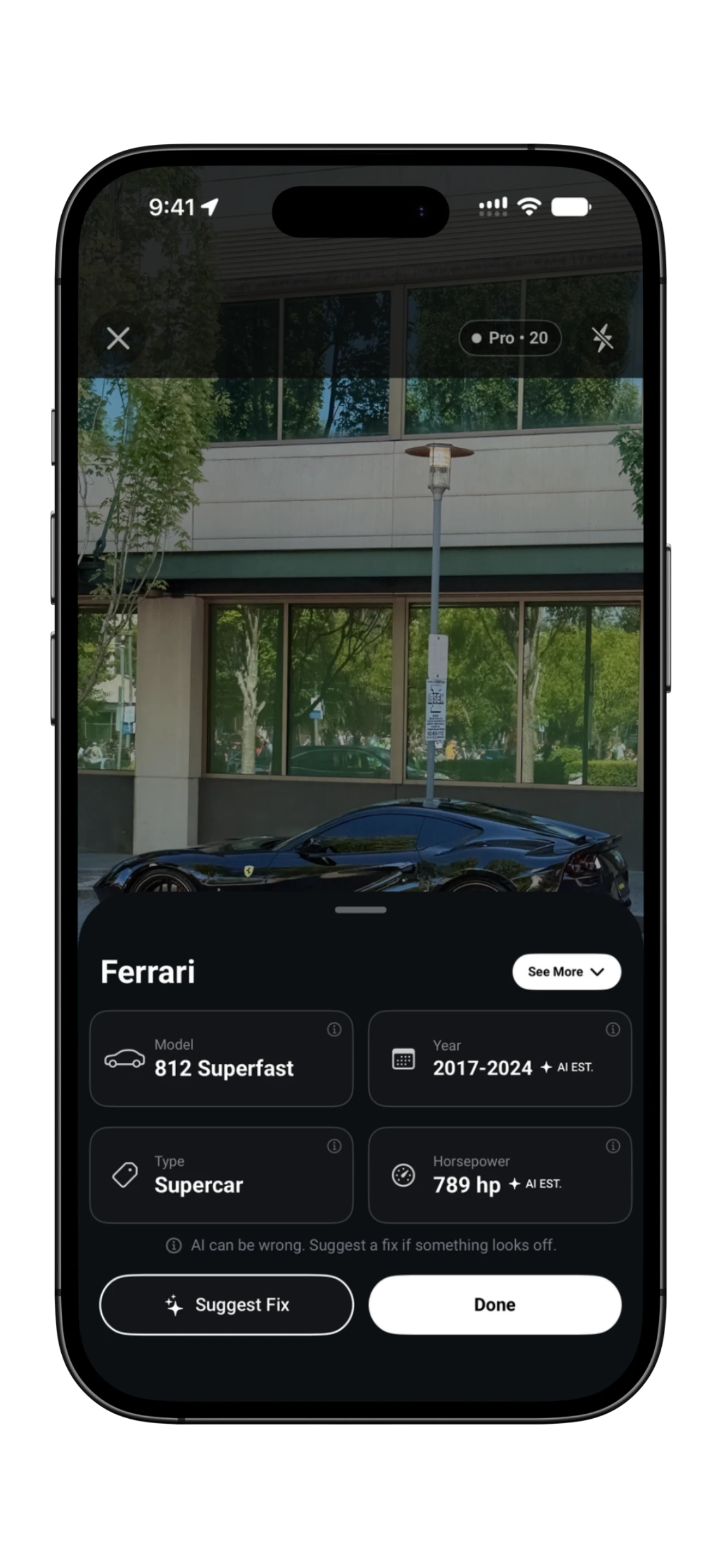
Turn a passing question into a collection.
RevvRadar helps you learn about the cars that catch your eye. Get a suggested identification, save the photo to a collection, and explore what other enthusiasts have shared.
Give the camera a clear view.
Open RevvRadar’s camera and photograph the vehicle from a safe place. A front or rear three-quarter view can show the body shape, lights and grille together. Avoid heavy glare or a view blocked by other vehicles.
Review the suggested match.
Start with the estimated make and model. Additional details may be available, but model years, trims, specifications and values can be wrong. Compare the result with the visible clues before treating it as a match.
Keep the finds you want to remember.
Save your captures to build a collection. Choose whether to keep a capture private or share it publicly, then explore what other enthusiasts have found.
What to look for in an iPhone car discovery app.
- An answer you can review. Useful identification starts with a suggested make and model and makes uncertainty clear.
- A collection with your photos. Keeping the capture helps you compare vehicles later instead of losing the moment in a search history.
- A choice about sharing. Decide whether a capture stays private or becomes part of the community.
- Honest local coverage. Nearby finds and events depend on what people have shared and what is listed in your area.
RevvRadar brings those steps together. If your main question is simply “what car is this?”, start with the car identifier guide.
When the result does not look right.
Similar models can share lights, bodywork and badges. Modifications can make the match harder. Compare the grille, rear lights, roofline and door count; if you can safely take another photo, try an angle that shows the missing details.
An image cannot reliably establish the exact trim or hidden mechanical specification. Use the result as a starting point, and verify important details with manufacturer information or a knowledgeable owner. Read our guide to the visual clues behind a vehicle’s identity.
Go from one vehicle to the local scene.
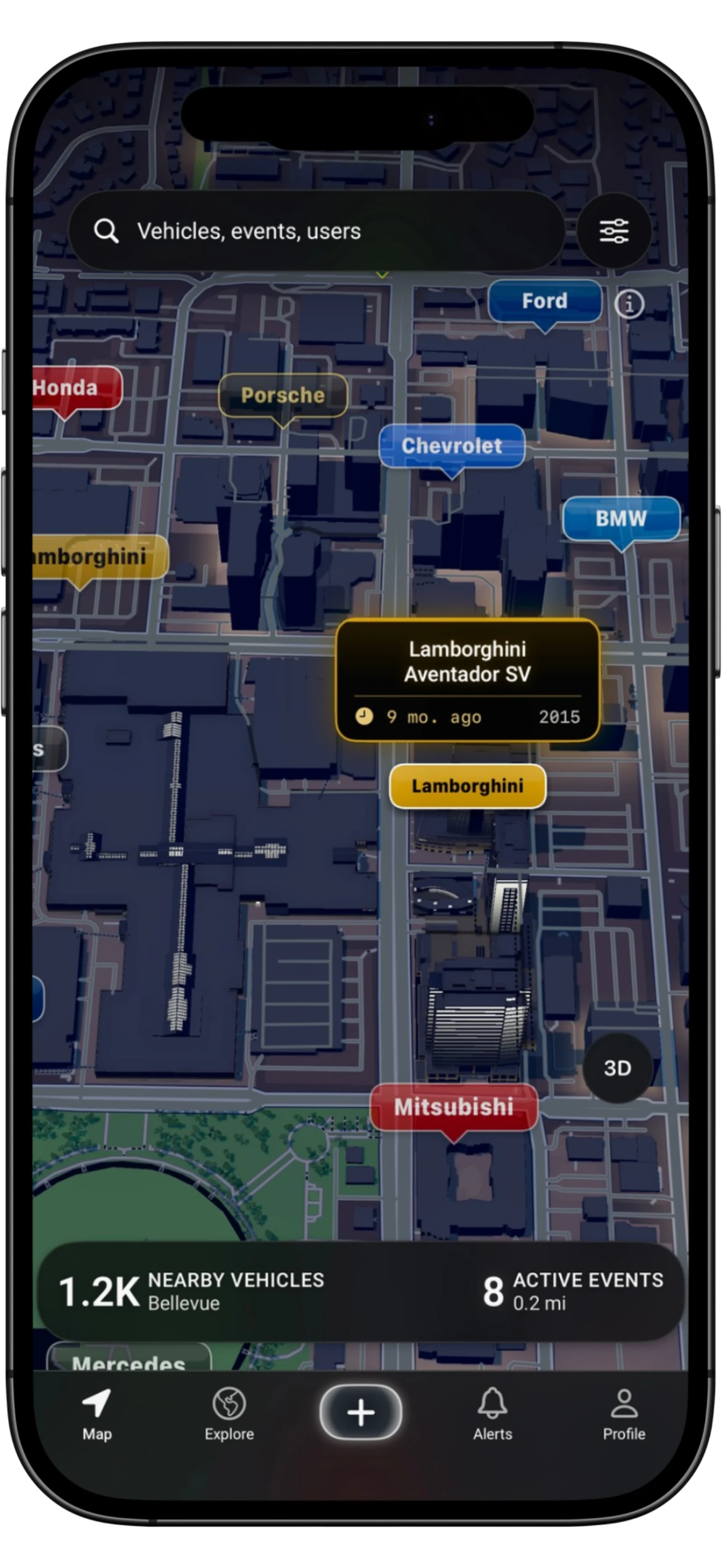
After identifying a vehicle, explore public captures and automotive events on the map. Browse car shows and meetups, filter by date and location, and check in when you attend.
Activity varies by area. A quiet map does not mean there are no enthusiasts nearby; it may mean fewer captures have been shared or events listed. Check event details before making a trip. Our car show discovery guide explains what to look for.
Before your first capture.
Is RevvRadar free?
Yes. Get six daily captures and all available vehicle specifications on Free. Optional Pro and Premium plans offer higher limits and additional appearance options.
Will the result always be an exact match?
No. Results are estimates and may be wrong, especially for similar models, modified cars or unclear photos. Review the answer against the vehicle’s visible details.
Can I use a photo already in my library?
The flow described here starts with taking a photo in RevvRadar’s camera. Photo-library import is not part of this workflow.
Do I have to share every capture?
No. You can keep a capture private or choose to share it publicly.
Will there be cars and events near me?
Local coverage depends on community contributions and listed events. Identification and your own collection give you a place to start even when nearby activity is limited.
Where can I get it?
RevvRadar is an iPhone app. Follow the App Store link to check availability and device compatibility in your region.